
Web Engineering
How To Optimize the Performance of a Web App
Welzin Technology Blog · November 10, 2025

How to Optimize The Performance of WebApp
✍️ Co-Authors:
1. Aman Mundra
2. Ishan Aapan
Table of contents
1. Introduction
2. Why Web Performance Matters
3. Easy Wins to Make Your App Faster
4. Steps to Optimize your Web App Performance
5. Conclusion
1. Introduction
A fast and smooth app keeps users happy, lowers bounce rates, and encourages people to come back. But if your app is slow, users quickly lose patience, which can also hurt your conversions and business growth.
In this article, we will look at some practical and easy-to-follow strategies that can help you improve your web app’s speed and overall performance. I will also share simple examples so you can start applying these techniques right away.
2. Why Web Performance Matters
- Better User Experience: A slow-loading or laggy application can lead to a poor user experience, negatively impacting your business. Users expect fast and responsive interactions, and performance optimization helps deliver that.
- Improved SEO: Search engines like Google consider page load times and overall performance when ranking websites. A well-optimized application will rank higher in search results, making it more visible to potential users.
- Reduced Bounce Rates: If your application takes too long to load or respond, users will likely leave and never return. By optimizing performance, you can reduce bounce rates and increase engagement.
- Cost Savings A performant application requires fewer resources (like servers and memory) to handle the same workload. This means lower hosting costs and reduced infrastructure needs.
- Competitive Advantage: A fast and efficient application sets you apart from competitors whose applications may be slower or less optimized. According to research by Portent, a website that loads within one second has a conversion rate five times higher than a site that takes ten seconds to load. Therefore, ensuring your React applications perform well is crucial for retaining users and maintaining a competitive edge.
A high-performing web app is not just a technical requirement, it’s a business advantage.
3. Easy Wins to Make Your App Faster
Before jumping into complex changes, there are a few quick fixes you can do right away like optimizing images, removing unused libraries and enabling caching. These small steps can bring instant improvements.
4. Steps to Optimize Your Web App Performance
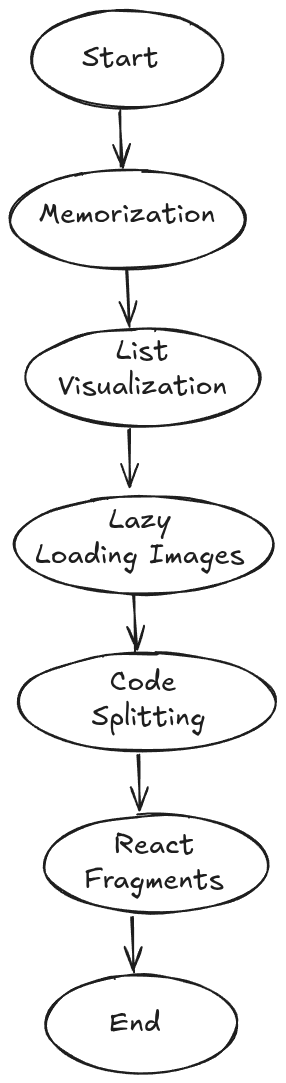
1. Memorization
Memoization in React is a technique used to optimize the performance of functional components by caching the results of expensive computations or function calls. It’s particularly useful when dealing with computationally intensive or frequently called functions with the same input values, as it helps avoid redundant calculations and improves the overall efficiency of the application.
import React, { useState, useMemo } from “react”;

function Cart() {
 const [items, setItems] = useState([
 { name: “Shoes”, price: 50 },
 { name: “T-shirt”, price: 20 },
 { name: “Jeans”, price: 40 },
 ]);
 const [count, setCount] = useState(0);

 // useMemo remembers the result unless “items” change
 const totalPrice = useMemo(() => {
 console.log(“Calculating total…”);
 return items.reduce((acc, item) => acc + item.price, 0);import React, { useState, useMemo } from “react”;
function Cart() {
const [items, setItems] = useState([
{ name: "Shoes", price: 50 },
{ name: "T-shirt", price: 20 },
{ name: "Jeans", price: 40 },
]);
const [count, setCount] = useState(0);
// useMemo remembers the result unless "items" change
const totalPrice = useMemo(() => {
console.log("Calculating total…");
return items.reduce((acc, item) => acc + item.price, 0);
}, [items]);
return (
<div>
<h2>Total Price: ${totalPrice}</h2>
<button onClick={() => setCount(count + 1)}>Total Price</button>
</div>
);
}
 }, [items]);

 return (
 <div>
 <h2>Total Price: ${totalPrice}</h2>
 <button onClick={() => setCount(count + 1)}>Total Price</button>
 </div>
 );
}
If you just click the Total Result button, React won’t recalculate the total again.
- It will reuse the remembered value (cached).
- It will recalculate when items actually change or initial render.
Result:-
110
2. List Visualization
List visualization, or windowing, involves rendering only the items currently visible on the screen.
When dealing with a large number of items in a list, rendering all the items at once can lead to slow performance and consume a significant amount of memory. List virtualization tackles this issue by rendering only a subset of the list items currently visible within the view, which conserves resources as the users scroll through the list.
The virtualization technique dynamically replaces rendered items with new ones, keeping the visible portion of the list updated and responsive. It efficiently allows you to render large lists or tabular data by only rendering the visible portion, recycling components as needed, and optimizing scroll performance.
To Install react-window library, you can use the following command:
npm install react-window
import React from “react”;
import { FixedSizeList as List } from “react-window”;

function Cart({ items }) {
 return (
 <List
 height={400} // total visible height (like a window)
 itemCount={items.length} // total items in cart
 itemSize={60} // height of each item
 width={300} // width of list
 >
 {({ index, style }) => (
 <div style={{ …style, padding: “10px”, borderBottom: “1px solid #ddd” }}>
 <h4>{items[index].name}</h4>
 <p>Price: ${items[index].price}</p>
 </div>
 )}
 </List>
 );
}

// Example items
const items = Array.from({ length: 1000 }, (_, i) => ({
 name: `Product ${i + 1}`,
 price: Math.floor(Math.random() * 100),
}));

export default function App() {
 return <Cart items={items} />;
}
3. Lazy Loading Images
Lazy loading images is a simple trick to make websites faster. Normally, when a page loads, the browser downloads all images at once, even the ones that are far down the page. This makes the site heavy and slow. With lazy loading, only the images that are visible on the screen are loaded first. As you scroll down, the other images load just in time when you need them. This saves internet data and reduces page load time. It also makes the user experience smoother because the page shows up quickly.
To install react-lazyload, you can use the following command:
npm install - save react - lazyload
import React from “react”;
import LazyLoad from “react-lazyload”;

function Cart({ items }) {
 return (
 <div style={{ display: “grid”, gridTemplateColumns: “repeat(3, 1fr)”, gap: “20px” }}>
 {items.map((item, index) => (
 <div key={index} style={{ border: “1px solid #ddd”, padding: “10px” }}>
 <LazyLoad height={150} offset={100}>
 <img src={item.image} alt={item.name} width=”150" height=”150" />
 </LazyLoad>
 <h4>{item.name}</h4>
 <p>${item.price}</p>
 </div>
 ))}
 </div>
 );
}
4. Code Splitting
Code splitting in React is a technique used to split a large JavaScript bundle into smaller, manageable chunks. It helps improve performance by loading only the necessary code for a specific part of an application rather than loading the entire bundle upfront.
When you develop a new React application, all your JavaScript code is typically bundled together into a single file. This file contains all the components, libraries, and other code required for your application to function. But as your application grows, the bundle size can become quite large, resulting in slow initial load times for your users.
Code splitting allows you to divide a single bundle into multiple chunks, which can be loaded selectively based on the current needs of your application. Instead of downloading the entire bundle upfront, only the necessary code is fetched and executed when a user visits a particular page or triggers a specific action.
import React, { Suspense, useState } from “react”;
import Home from “./Home”;

// Lazy load Cart component
const Cart = React.lazy(() => import(“./Cart”));

function App() {
 const [showCart, setShowCart] = useState(false);

 return (
 <div>
 <h1>My Shop</h1>
 <Home />

 <button onClick={() => setShowCart(true)}>Open Cart</button>

 {/* Suspense shows fallback while Cart is loading */}
 {showCart && (
 <Suspense fallback={<p>Loading cart…</p>}>
 <Cart />
 </Suspense>
 )}
 </div>
 );
}

export default App;
5. React Fragments
In React, every component must return a single parent element. Sometimes, you just want to group multiple elements together without wrapping them in an unnecessary <div>. This is where React Fragments help. A fragment lets you group elements without adding extra nodes to the actual HTML. The shorthand syntax is <>……</>, which is clean and simple. You can also use <React . Fragment> if you need to pass a key prop, especially in lists. Fragments keep your code tidy and prevent creating “div soup” in your DOM. In short, React Fragments are invisible wrappers that organize your UI without cluttering your HTML.
function Product() {
 return (
 <>
 <h2>Product Name</h2>
 <p>Price: $50</p>
 </>
 );
}
5. Conclusion
Optimizing your WebApplication is crucial for performance and productivity. By adopting these techniques, you can create more efficient, maintainable, and scalable applications. Remember, the key to optimization is not just in writing code but in writing smarter and more efficient code.
Originally published on the Welzin Medium.